
NDI Client Monitoring for Avid Media Composer
For remote client monitoring we recommend using NDI Tools with Zoom for sharing as if it were a traditional client monitor. This is built into Media Composer and has the best user experience and will adapt well to any bandwidth constraints that may arise. The installation and setup instructions are below.
- Download in install NDI Tools. If you are on our systems you can do this via the Self Service app
- You will need to restart your machine once the installation is complete
- Check you have the NDI Tools Virtual Input available in your Applications folder and launch that.

- Open up Avid Media Composer and Zoom (or a different video chat app if you prefer)
- In Zoom go to the top left and select Zoom / Preferences
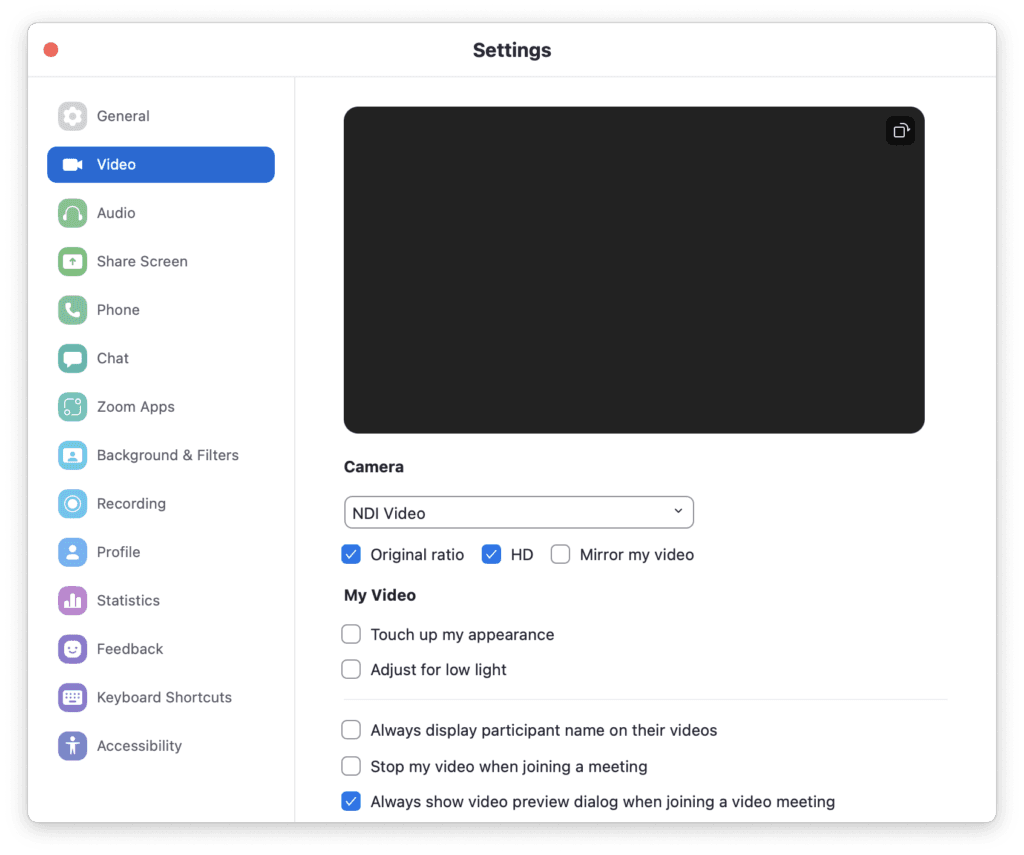
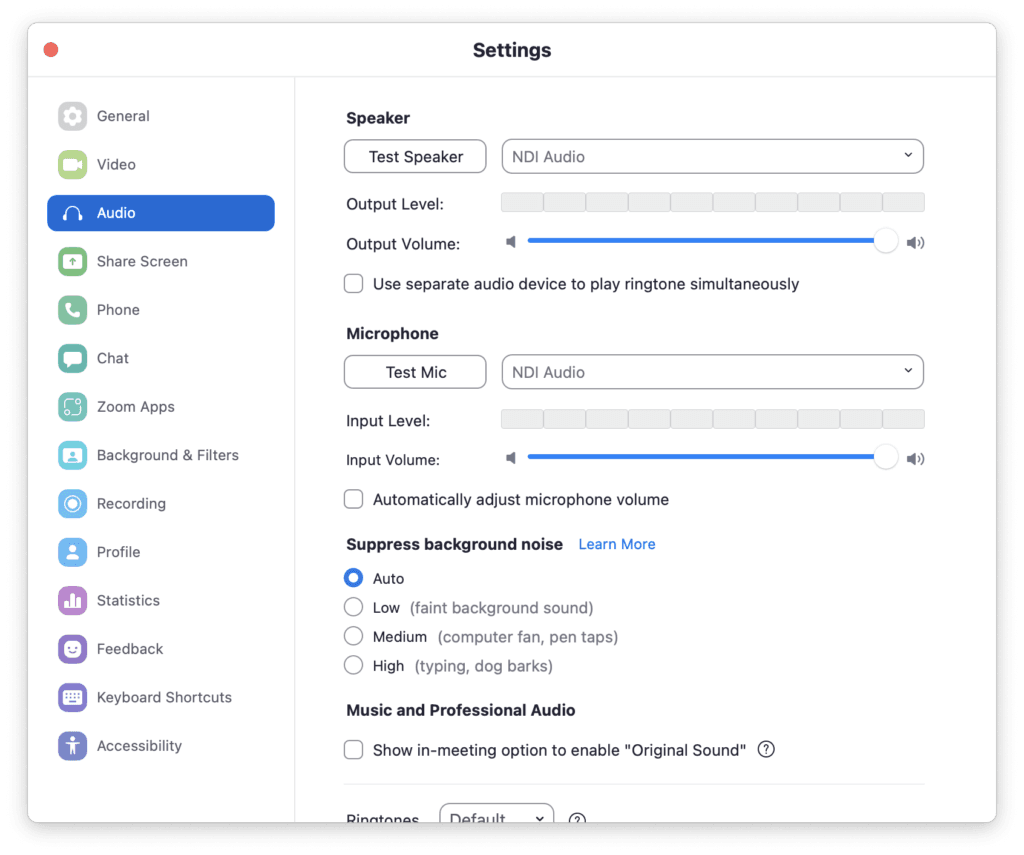
- In Video and audio set the Video, speakers and mic to NDI, this creates a loop and avoids any sync issues. You will need to join a call on another device so you can speak to the other person
- Make sure to tick ‘Original ratio’, ‘HD’, and untick ‘Mirror my video’ in Video Settings
- Now go into Avid Media Composer, and click the HW/SW button and make sure the NDI option is ticked then single click the icon to broadcast. You will see it flashing red to show it’s on air and this will send the output through NDI Virtual Input in to Zoom

- In the top right of the screen in the tool bar click NDI make sure that your machine.AVID is selected as the output.

Once this is done your signal out from Media Composer will be playing through to the Zoom session. This acts as your client output so you and anyone else should then connect to the session on separate devices so that zoom on this system is dedicated to sharing out the client monitoring.
It’s worth having a good play with this to get your head around the audio configuration. It’s also worth noting to viewers they can all pin the main video feed so that is always the full screen image so it doesn’t switch around if participants start talking.